Why Your Google Business Profile Matters More Than Your Website
Let's be honest — when was the last time you Googled a restaurant, clinic, or salon and actually clicked through to their website? You probably just looked at the Google listing, checked the reviews, maybe glanced at the photos, and called them directly.
That's exactly what your customers do.
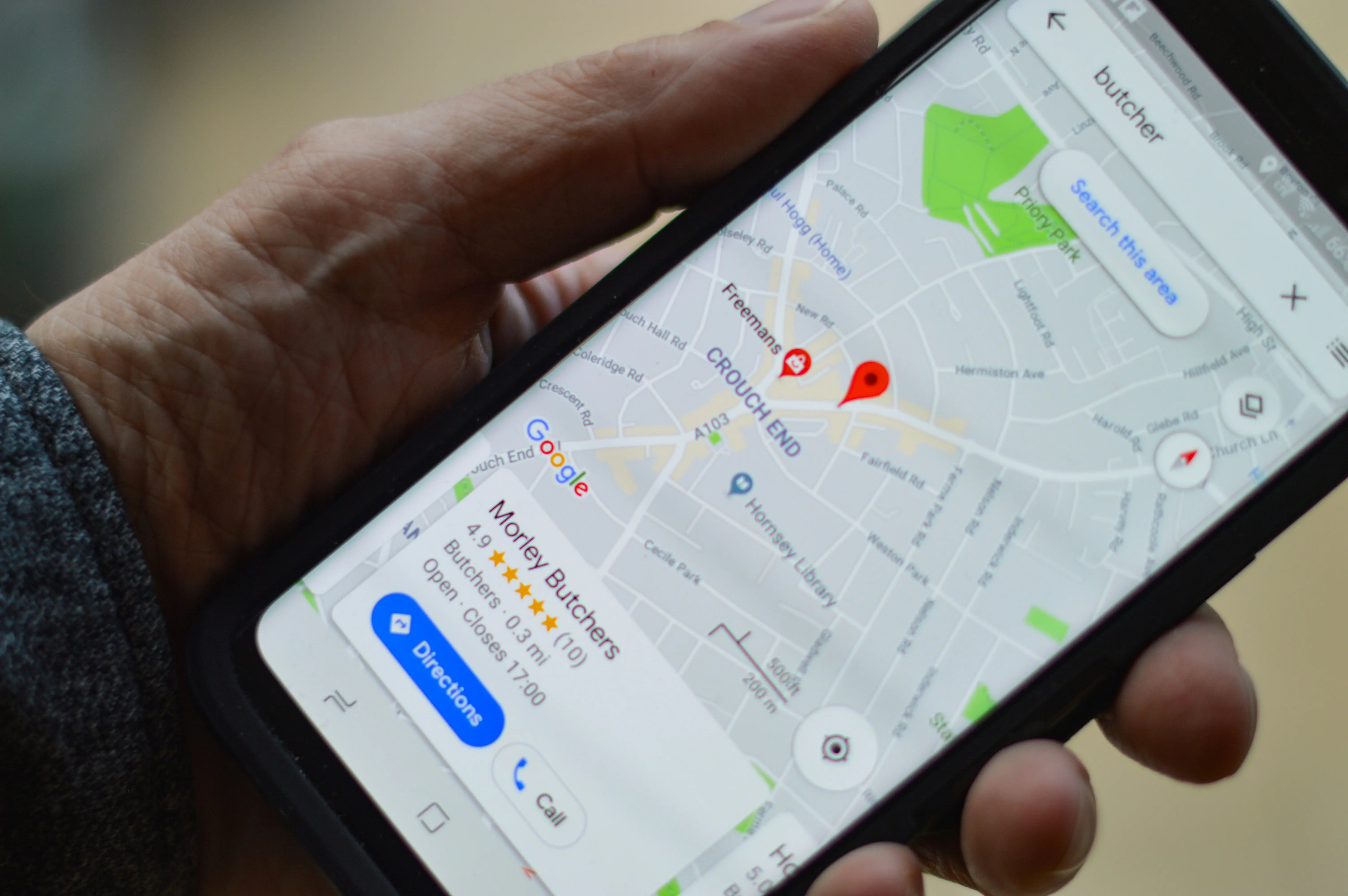
Your Google Business Profile (GBP) is often the first and only impression a potential customer gets of your business. If it's incomplete, has bad photos, no reviews, or wrong information — they'll scroll to the next result and call your competitor instead.
"Your Google Business Profile is the digital front door to your local business. If it's locked or looks neglected, customers simply won't enter."
And the worst part? Most Indian small business owners don't even know their GBP profile exists, or they set it up once three years ago and forgot about it.
Step 1: Claim or Create Your Google Business Profile
If your business has been around for a while, there's a good chance Google has already created a basic listing for you. Here's what to do:
- Go to business.google.com
- Sign in with a Google account (preferably one you'll use long-term — not your personal Gmail if possible)
- Search for your business name
- If it exists, click "Claim this business" and follow the verification process
- If it doesn't exist, click "Add your business" and fill in the details
Pro tip: Google usually verifies via postcard (yes, actual postal mail), phone call, or email. The postcard method takes 5-14 days in India, so don't panic if it's slow. Some categories now offer instant verification via phone.
Step 2: Fill Out Every Single Field
This is where 90% of businesses mess up. They fill in the name and phone number and think they're done. Google rewards completeness. The more you fill out, the higher you rank in local searches.
Here's what you need to complete:
Business Name
Use your actual business name. Don't stuff keywords in here — Google will penalise you. "Sharma Dental Clinic" is correct. "Sharma Dental Clinic Best Dentist in Jaipur Teeth Whitening" will get your profile suspended.
Category
Choose your primary category carefully — this is the single biggest ranking factor. Be specific: "Dental Clinic" beats "Health and Wellness." You can add secondary categories too.
Address
If you serve customers at your location, add your full address. If you're a service-area business (like a plumber or delivery service), you can hide your address and show your service area instead.
Phone Number
Use a number you actually answer. Obvious, but you'd be surprised how many businesses list a number that goes to voicemail or a switched-off phone.
Website
Link to your website if you have one. If you don't, that's okay — your GBP will still work.
Hours
Keep these accurate. Nothing annoys a customer more than showing up to a "open" business that's actually closed. Update your hours for holidays too.
Business Description
You get 750 characters. Use them wisely. Write what you do, who you serve, and what makes you different. Write for humans, not algorithms. Include your city name naturally.
Example: "We're a family dental clinic in Jaipur serving patients for over 15 years. From routine cleanups to cosmetic dentistry, we handle everything with care. Walk-ins welcome, and we're open on Sundays."
Step 3: Add Photos (This Is Huge)
Businesses with photos get 42% more direction requests and 35% more clicks to their websites, according to Google's own published data. Yet most Indian businesses have either zero photos or blurry ones taken on a phone in 2019.
Here's what to add:
- Exterior photo: So people can recognise your shop/clinic/office from the street
- Interior photos: Show that your space is clean, modern, and welcoming
- Team photos: People trust faces. Show your staff at work.
- Product/service photos: If you're a restaurant, show the food. If you're a salon, show the work. If you're a clinic, show the equipment.
- Logo and cover photo: Make your profile look professional
Upload at least 10-15 photos to start, and add new ones every month. Google loves fresh content.
Step 4: Get Reviews (And Respond to All of Them)
Reviews are the second biggest ranking factor after your category. But more importantly, they're what converts a searcher into a caller.
How to get reviews:
- Ask every happy customer. Literally. After a successful appointment, delivery, or interaction, say: "It would really help us if you could leave a Google review."
- Make it easy. Create a short link to your review page and share it via WhatsApp. You can generate this link from your GBP dashboard.
- Don't buy fake reviews. Google's algorithms are getting very good at detecting them, and getting caught means your profile gets suspended.
How to respond to reviews:
- Respond to every single review — positive and negative
- For positive reviews: Thank them personally, mention something specific
- For negative reviews: Be professional, acknowledge the issue, offer to resolve it offline
Google has confirmed that responding to reviews improves your local ranking.
Step 5: Post Regular Updates
Most business owners don't know this, but Google Business Profile has a Posts feature — similar to social media. You can post updates, offers, events, and news directly on your profile.
Why bother? Two reasons:
- It signals to Google that your business is active (which improves ranking)
- It gives potential customers more reasons to choose you
Post at least once a week. Share offers, new products, seasonal updates, customer success stories, or even just a "we're open this Sunday" message.
Step 6: Track Your Performance
Your GBP dashboard shows you exactly how your profile is performing:
- How many people viewed your profile
- How many people called you directly from the listing
- How many people asked for directions
- What search terms people used to find you
Check these numbers monthly. If calls are going up, you're doing something right. If views are high but calls are low, your profile might need better photos or more reviews.
Common Mistakes Indian Businesses Make
- Keyword stuffing the business name — This will get your profile suspended
- Using a personal mobile number — Use a dedicated business number if possible
- Not updating hours — Especially during festivals and holidays
- Ignoring negative reviews — A thoughtful response can actually win you more customers
- Setting it and forgetting it — GBP needs regular attention, just like social media
- Having blurry or dark photos — Bad photos are worse than no photos
- Not choosing the right category — This is the #1 ranking signal
The Bottom Line
Your Google Business Profile is literally free marketing. It's the first thing people see when they search for businesses like yours. Yet most Indian small businesses either don't have one, or have one that's working against them instead of for them.
If you've read this far and realised your GBP needs work — we can help. We set up, optimise, and manage Google Business Profiles for Indian businesses every day. It's one of the three things we do, and we do it properly.
WhatsApp us for a free audit of your current Google profile — we'll tell you exactly what's missing and what to fix first.
Think your Google profile is costing you customers?
Most local business profiles are missing the easiest fixes. WhatsApp us for a free audit.
WhatsApp us for a free audit